


Qt编程实例:基于Android的BLE通信软件
时间:2021-11-15 14:55:42
[导读]实现目标自己编写基于Qt的Android软件,用于实现手机与TB-02-kit模块进行数据通讯;Android软件发送的数据,经TB-02-kit模块转发至串口助手中输出;串口助手发送的数据可以在Android软件中显示,进而实现BLE的数据双向通信。所需工具及环境TB-02-k...
实现目标
- 自己编写基于Qt的Android软件,用于实现手机与TB-02-kit模块进行数据通讯;
- Android软件发送的数据,经TB-02-kit模块转发至串口助手中输出;
- 串口助手发送的数据可以在Android软件中显示,进而实现BLE的数据双向通信。
所需工具及环境
- TB-02-kit模块
- Qt Creator 4.10.1
- Qt 5.13.1
- XCOM V2.0 串口助手
- Android 手机
- 本人电脑 Windows 10 64bit [版本 10.0.19041.329]
前置知识
给大家介绍一款好用的蓝牙BT5.0透传模块Windows下基于Qt开发Android应用
BLE中这些概念你都了解吗
本文源码
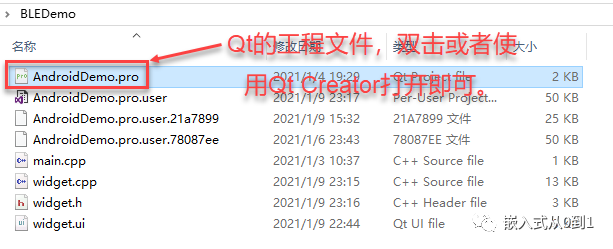
具体实现
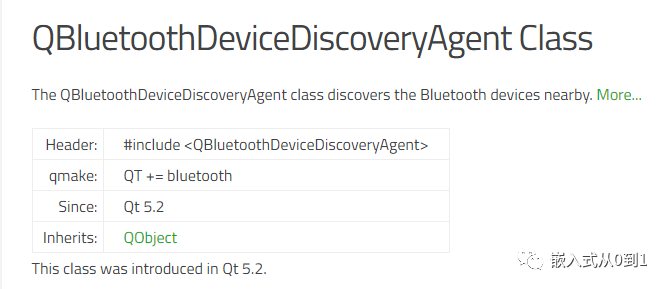
1. 要使用Qt蓝牙模块, 项目的 .pro文件中要添加声明才可使用

2. 扫描设备
在构造函数中执行蓝牙设备扫描,即软件一启动就执行扫描。Widget::Widget(QWidget *parent)
: QWidget(parent)
, ui(new Ui::Widget)
{
ui->setupUi(this);
//创建搜索服务:https://doc.qt.io/qt-5/qbluetoothdevicediscoveryagent.html
discoveryAgent =new QBluetoothDeviceDiscoveryAgent(this);
//设置BLE的搜索时间
discoveryAgent->setLowEnergyDiscoveryTimeout(20000);
connect(discoveryAgent,SIGNAL(deviceDiscovered(QBluetoothDeviceInfo)),this,SLOT(addBlueToothDevicesToList(QBluetoothDeviceInfo)));//找到设备之后添加到列表显示出来
connect(discoveryAgent, SIGNAL(finished()), this, SLOT(scanFinished()));
connect(discoveryAgent, SIGNAL(canceled()), this, SLOT(scanCanceled()));
connect(this, SIGNAL(returnAddress(QBluetoothDeviceInfo)), this, SLOT(createCtl(QBluetoothDeviceInfo)));
//开始进行设备搜索
discoveryAgent->start(QBluetoothDeviceDiscoveryAgent::LowEnergyMethod);
}
3. 将扫描结果添加到QListWidget中
//deviceDiscovered signals 对应的槽函数
void Widget::addBlueToothDevicesToList(const QBluetoothDeviceInfo  下载文档
下载文档


